

Introduction
Knowing how to identify phishing emails is one of the most valuable security skills you can learn today. Phishing is the most common way attackers steal passwords, bank details and company data, and it works because it targets people, not software. One rushed click on a fake “account locked” message is often all it takes.
The good news is that most phishing emails give themselves away. They contain small mistakes, strange links or pressure tactics that stand out once you know what to check.
In this guide you will learn what phishing emails are, the main types, 12 warning signs to look for, a real-style example, and exactly what to do if you have already clicked. Whether you are an employee, a business owner or a regular email user, you will leave with a simple routine you can apply to every suspicious message.
What Is a Phishing Email?
A phishing email is a fraudulent message that pretends to come from a trusted source, such as a bank, delivery company, employer or well-known brand, to trick you into giving up sensitive information or installing harmful software. The name is a play on “fishing”: attackers cast out bait and wait for someone to bite.
Most phishing emails aim for one of three goals:
- Steal login details, so the attacker can take over your email, bank or social accounts.
- Steal money or card data through fake invoices, refunds or payment pages.
- Install malware, usually through an infected attachment or download link.
Phishing also appears in text messages (smishing), phone calls (vishing) and social media messages, but email remains the most common channel.
Common Types of Phishing Emails
Recognising the type of attack helps you spot it faster.
- Mass phishing: generic emails sent to millions of people, such as fake bank, shipping or online-shop alerts.
- Spear phishing: targeted emails that use your name, job title or company details to look believable.
- Whaling: spear phishing aimed at executives or finance staff, often demanding urgent payments.
- Business email compromise (BEC): an attacker poses as a boss, vendor or colleague and asks for money or data.
- Clone phishing: a real email you received earlier is copied, with a safe link or file swapped for a malicious one.
- Credential harvesting: fake login pages built to capture your username and password.
Spear phishing and BEC are the hardest to catch because the message may contain no obvious errors. For these, verifying through a second channel (covered below) is your best defense.
12 Warning Signs of a Phishing Email
No single sign proves an email is fake, but two or three together are a strong signal. Check these every time.
1. The sender’s address looks wrong
The display name can say anything, so always check the actual email address. Attackers use look-alike domains such as “paypa1” (a number 1 instead of the letter l) or “arnazon” (rn instead of m). Be wary when a company email comes from a free provider.
2. The greeting is generic
“Dear customer” or “Dear user” suggests a mass mailing. Real companies usually address you by name, although targeted attacks may use it too.
3. It creates urgency or fear
“Your account will be closed in 24 hours” or “Unusual activity detected” are classic pressure tactics. Scammers want you to act before you think.
4. The links do not match their text
Hover over a link (or long-press on mobile) before clicking. If the real address differs from what is shown, or it uses a shortened link, do not click. A padlock or “https” does not prove a site is safe, since criminals use it too.
5. Spelling and grammar errors
Odd phrasing, wrong names and awkward formatting still point to a scam. However, AI tools now produce clean text, so never treat perfect grammar as proof of safety.
6. Unexpected attachments
Be careful with .zip, .exe, .html and macro-enabled Office files, especially from unknown senders. Double extensions like “invoice.pdf.exe” are a giveaway.
7. It asks for sensitive information
Legitimate banks and services do not ask for passwords, PINs, card numbers or one-time codes by email.
8. The offer is too good to be true
Surprise prizes, unexpected refunds and easy-money offers are bait. If you did not enter or apply, it is almost certainly a scam.
9. You were not expecting it
A delivery notice for a parcel you never ordered, or a password reset you never requested, should make you stop and verify.
10. The timing or tone feels off
A “message from your CEO” at 3 a.m. asking for gift cards, or a colleague writing in an unusually formal tone, deserves a second look.
11. The branding looks sloppy
Blurry logos, mismatched colors, a missing company address or a wrong footer suggest a copy. Unexpected QR codes inside emails are another modern trick.
12. It asks you to skip the normal process
Requests to change bank details, keep something secret or pay by gift card or cryptocurrency are major red flags, especially in invoice and BEC scams.
Phishing Email Example: Spot the Red Flags
Here is a typical fake message and what gives it away.
From: Microsoft Support <support@micros0ft-security[.]com> Subject: Action required: your password expires in 2 hours
Dear user, your password will expire today. Click “Keep my password” below to avoid losing access to your account.
| What you see | Why it is suspicious |
|---|---|
| Sender domain “micros0ft-security” | A zero replaces the letter o, and the domain is not the company’s real one |
| “Dear user” | Generic greeting, no name |
| “Expires in 2 hours” | Artificial urgency |
| “Keep my password” button | Hovering shows a different, unrelated web address |
The safe move is to ignore the button, open the service directly by typing its address or using its official app, and check your account there.
What to Do If You Clicked a Phishing Link
Do not panic. Acting quickly limits the damage.
- Stop interacting. Close the page and do not enter or download anything else.
- Change your passwords. Go to the real website directly, change the affected password, and change it anywhere else you reused it.
- Turn on multi-factor authentication for your email, banking and other key accounts.
- Scan your device with trusted security software if you opened an attachment or downloaded a file.
- Contact your bank right away if you shared card or payment details.
- Report it. Tell your IT team at work, use the “Report phishing” option in your email app, and report it to your national cybercrime or consumer protection agency.
- Monitor your accounts for unusual logins or transactions over the following weeks.
How to Protect Yourself From Phishing Emails
Spotting phishing emails is your first defense. These habits add strong protection:
- Verify through a second channel. Call the company or colleague using a number you already trust, never one from the email.
- Go direct. Instead of clicking a link, type the website address yourself or open the official app.
- Use a password manager. It will not autofill on a fake domain, which is a helpful warning.
- Enable multi-factor authentication or passkeys. Even a stolen password becomes much harder to use.
- Keep software updated. Patches close the holes that malicious attachments exploit.
- Use spam filtering. For businesses, set up SPF, DKIM and DMARC to block spoofed emails.
- Train your team. Regular awareness sessions and simulated phishing tests reduce risky clicks over time.
- Keep backups. If malware or ransomware slips through, you can recover without paying.
30-Second Phishing Checklist
Before you click anything in an unexpected email, run through these questions:
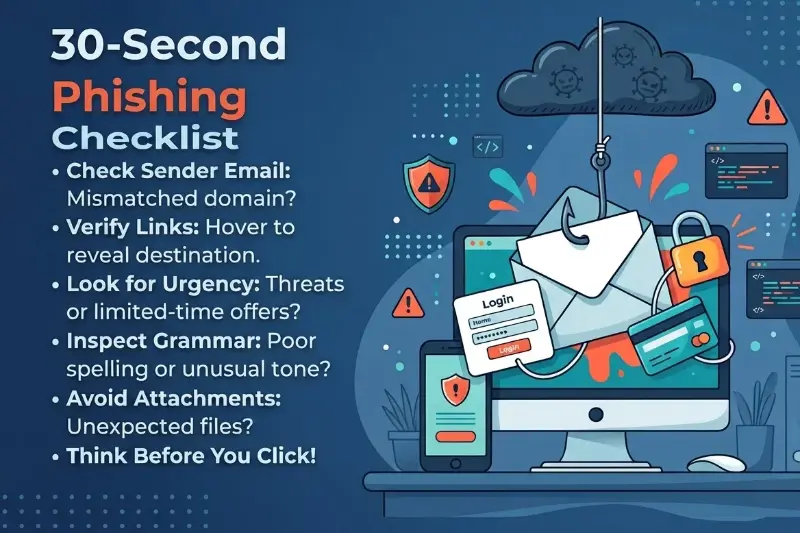
- Do I recognise the sender, and does the full address match the real company?
- Was I expecting this message or request?
- Does it pressure me to act immediately?
- Does the link address match where it claims to go?
- Is it asking for a password, code, payment or personal details?
- Can I confirm it by calling or logging in through the official app instead?
If you answer “no” to the first two questions or “yes” to the next three, treat the email as phishing. Make this checklist a habit and you will avoid most scams before they start.
Frequently Asked Questions
Can a phishing email come from a real contact’s address?
Yes. If a friend’s or colleague’s account is hacked, or their address is spoofed, the message can look genuine. Judge the request, not just the sender: if it is unusual, confirm by phone or chat.
Is it safe to open a phishing email?
Simply opening an email is usually low risk, but clicking links, opening attachments or replying is where the danger starts. Turn off automatic image loading for extra safety.
How can I check a link without clicking it?
Hover over it (or long-press on mobile) and read the full web address. The real domain is the part right before the first single slash. If it looks unfamiliar or misspelled, do not click.
What should I do with a phishing email?
Do not reply or forward it to friends. Use the “Report phishing” button in your email app, then delete it. At work, send it to your IT or security team.
Are phishing emails getting harder to spot?
Yes. Attackers now use AI to write polished, personalised messages, so typos are no longer a reliable clue. Focus on the sender, the link destination and the request being made.
Conclusion
Learning how to identify phishing emails comes down to slowing down and checking a few key things: who really sent it, where the links lead, what the message asks you to do, and whether you expected it at all. Pressure, secrecy and requests for passwords or payments are the clearest warnings.
When in doubt, do not click. Verify through a trusted channel, report the message, and delete it. Share this guide with family, friends and coworkers, because every person who learns these 12 signs makes it harder for scammers to succeed.
