Introduction
A Best USB-C Hub is one of the most useful accessories for anyone using a modern laptop, tablet, or smartphone. As manufacturers continue to remove traditional USB-A, HDMI, Ethernet, and SD card ports, USB-C hubs have become essential for connecting multiple devices through a single USB-C port.
Whether you're a student, office worker, graphic designer, gamer, video editor, or business professional, the right USB-C hub can improve productivity, simplify your workspace, and expand your device's capabilities. From connecting external monitors and keyboards to transferring files at high speed, charging your laptop, and using wired internet, a quality USB-C hub offers everything in one compact device.
However, not every USB-C hub delivers the same performance. Some are built for basic everyday use, while others support 4K displays, ultra-fast data transfer, high-speed charging, and professional workflows. Understanding these differences will help you choose the best USB-C hub that fits your needs and budget.
In this complete guide, you'll learn everything about USB-C hubs, including how they work, their key features, different types, important buying factors, common mistakes to avoid, and our recommendations for the best USB-C hub options available today.
What Is a USB-C Hub?
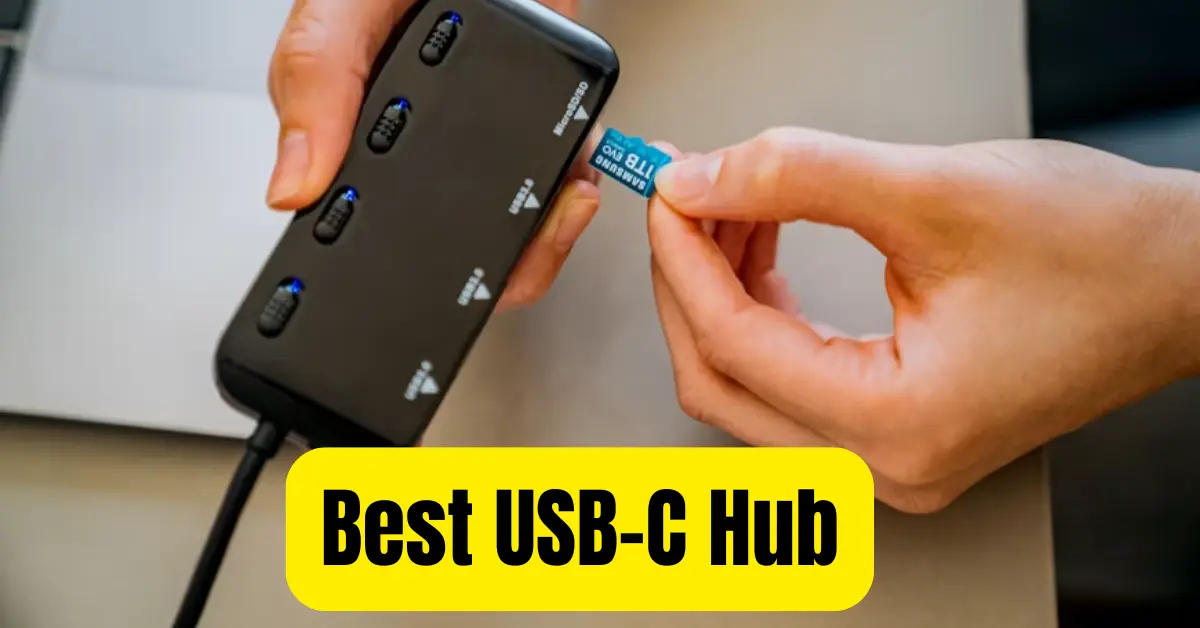
A USB-C hub is a compact adapter that expands one USB-C port into multiple ports. Instead of carrying several separate adapters, a single hub gives you access to USB-A ports, HDMI, Ethernet, SD and microSD card readers, audio ports, and additional USB-C connections.

Most modern laptops prioritize slim designs, leaving users with fewer built-in ports. This creates a challenge when connecting multiple accessories at once. A USB-C hub solves this problem by allowing users to connect everything they need through one device.
For example, you can simultaneously connect:
- External monitor
- Keyboard
- Mouse
- USB flash drive
- External SSD
- Ethernet cable
- SD card
- Laptop charger
This makes a USB-C hub one of the most practical accessories for both home and office use.
Why Do You Need the Best USB-C Hub?
Modern professionals often work with several devices at the same time. Instead of constantly plugging and unplugging accessories, a USB-C hub provides a clean and efficient solution.
- Some of the biggest advantages include improved productivity, better cable management, expanded connectivity, faster file transfers, and the convenience of charging while using multiple peripherals.
- Whether you're editing videos, attending online meetings, transferring photos from a camera, or giving presentations, the best USB-C hub makes daily tasks significantly easier.
Main Features of a High-Quality USB-C Hub
Choosing the best USB-C hub requires understanding its features.
Multiple USB Ports
- Most quality hubs include several USB-A and USB-C ports, allowing you to connect multiple accessories simultaneously.
HDMI Output
- Many hubs support HDMI output with resolutions ranging from Full HD to 4K or even 8K on premium models.
Power Delivery (PD)
- USB-C Power Delivery allows your laptop to charge while using the hub, eliminating the need for separate charging adapters.
Ethernet Port
- A Gigabit Ethernet port provides stable wired internet, which is especially useful for gaming, video conferencing, and large downloads.
SD and microSD Card Readers
- Photographers and content creators frequently use SD card slots to quickly transfer images and videos.
Fast Data Transfer
- Premium USB-C hubs support transfer speeds up to 10Gbps, making large file transfers significantly faster.
Different Types of USB-C Hubs
- Not every user requires the same features.
Basic USB-C Hub
- Ideal for students and casual users who need a few USB ports and HDMI connectivity.
Professional USB-C Hub
- Designed for creators, programmers, engineers, and business professionals who require multiple high-speed ports.
Travel USB-C Hub
- Compact, lightweight, and easy to carry while traveling.
Docking Station
- A docking station is a larger version of a USB-C hub with additional display outputs, more USB ports, audio connections, and advanced networking features.
How to Choose the Best USB-C Hub
Buying the wrong hub can lead to compatibility issues or missing features.
Before purchasing, consider:
- Number of ports
- Charging support
- HDMI resolution
- USB speed
- Ethernet availability
- SD card support
- Build quality
- Brand reputation
- Device compatibility
- Warranty
These factors ensure you choose a hub that meets your current and future requirements.
USB-C Hub vs USB Dock
Many buyers confuse USB-C hubs with docking stations.
A USB-C hub is compact, portable, and designed for everyday expansion.
A docking station is larger, more powerful, and intended for permanent desktop setups where multiple displays and accessories remain connected.
Best USB-C Hub Features for Students
Students usually need:
- USB ports
- HDMI
- Fast charging
- Lightweight design
- Affordable price
These features allow easy connection to projectors, external drives, and classroom equipment.
Best USB-C Hub for Office Work
Office users benefit from:
- Ethernet connection
- HDMI monitor support
- Keyboard and mouse connectivity
- USB flash drive compatibility
- Continuous laptop charging
This creates a more organized and efficient workspace.
Best USB-C Hub for Content Creators
Video editors, photographers, and designers require:
- High-speed USB ports
- SD card readers
- Multiple display outputs
- Stable power delivery
- Fast SSD support
Professional hubs save time when handling large media files.
Best USB-C Hub for Gaming
Gamers should prioritize:
- Low-latency Ethernet
- Multiple USB ports
- Stable charging
- Fast data transfer
A quality USB-C hub ensures gaming accessories remain connected without interruptions.
USB-C Hub Compatibility
Most USB-C hubs work with:
- Windows laptops
- MacBook
- Chromebook
- Linux computers
- Android tablets
- USB-C smartphones
- Steam Deck
- iPad with USB-C
Always verify compatibility before purchasing.
Common Mistakes When Buying a USB-C Hub
Many buyers focus only on price.
Instead, avoid these mistakes:
- Ignoring Power Delivery support
- Buying USB 2.0 hubs
- Overlooking HDMI limitations
- Choosing poor-quality cables
- Ignoring heat management
- Buying unknown brands without reviews
A slightly more expensive hub often delivers much better long-term performance.
Benefits of Using the Best USB-C Hub
Investing in a high-quality USB-C hub offers numerous benefits.
It reduces cable clutter, improves productivity, supports faster file transfers, enables multi-device connectivity, simplifies presentations, provides reliable internet access, and allows simultaneous charging and data transfer.
For professionals who work daily with multiple accessories, the convenience quickly outweighs the cost.
Maintenance Tips
To keep your USB-C hub performing well:

- Keep ports clean.
- Avoid excessive bending of cables.
- Disconnect safely after use.
- Protect it during travel.
- Store it in a dry place.
- Use the original charging adapter when possible.
Proper maintenance extends the lifespan of your hub.
Frequently Asked Questions
What is the best USB-C hub?
The best USB-C hub depends on your needs. Look for one with USB 3.2 ports, HDMI 4K support, Power Delivery charging, Ethernet, and SD card readers from a trusted manufacturer.
Does a USB-C hub reduce charging speed?
A quality hub with Power Delivery maintains fast charging while allowing multiple devices to remain connected.
Can I connect two monitors using a USB-C hub?
Some premium USB-C hubs support dual-monitor setups, but compatibility depends on your laptop and operating system.
Are USB-C hubs compatible with MacBooks?
Yes. Most premium USB-C hubs work perfectly with MacBooks, especially those designed specifically for Apple devices.
Is a USB-C hub worth buying?
Absolutely. A USB-C hub significantly expands your laptop's functionality and eliminates the need for multiple adapters.
Final Thoughts
Finding the Best USB-C Hub isn't simply about choosing the model with the most ports—it's about selecting one that matches your workflow, devices, and future needs. Whether you're a student attending online classes, an office professional managing multiple peripherals, a creative working with large media files, or a traveler needing a compact all-in-one solution, the right USB-C hub can greatly improve your daily experience.
When comparing options, focus on build quality, reliable Power Delivery, fast USB 3.2 data transfer speeds, 4K HDMI support, Gigabit Ethernet, and compatibility with your laptop or tablet. Spending a little more on a well-built hub from a trusted brand often results in better performance, greater reliability, and a longer lifespan.